Vehicle Rental Marketplace on WordPress: Beyond a Listing Page
Someone else is setting your prices right now, and you might not even know it.
Table of Contents
ToggleMost user-to-user vehicle rental platforms keep 10% to 35% of every trip price, depending on the protection plan a host picks. Run a $90-a-day rental through that math, and anywhere from $9 to $30 disappears before the host ever sees it. Every single time. For as long as the vehicle stays listed there.
That’s the deal with renting somewhere you don’t control: the platform sets the rate, the protection tiers, and the cut and none of it is up for negotiation.
A vehicle rental marketplace WordPress setup rewrites that deal entirely. Not a page that just displays a car for rent, but a real booking system, the kind that actually handles what happens between someone wanting to rent this and someone actually being able to.
What Is a Vehicle Rental Marketplace, Exactly?
A vehicle rental marketplace is a site where more than one vehicle owner lists cars, vans, bikes, or boats for rent, and renters book straight through that same site. It’s not one person renting out their own car through a page they built it’s a shared platform where each owner runs their own listings, sets their own availability, and gets paid through the system underneath it all.
What makes it a marketplace rather than just a directory is what happens after someone clicks “book.” The site has to check real dates, hold a deposit, route the payment, and make sure two renters can’t end up with the same vehicle on the same weekend. A page that only displays a car and a phone number can’t do any of that. Everything else in this piece builds off that distinction, because a vehicle rental marketplace only works if the booking, the payment, and the ownership all sit in the same place.
What a Real Vehicle Rental Platform Actually Needs
Three things separate a working rental platform from a page with a bolted‑on contact form.
A real booking calendar comes first. The date‑range logic blocks a vehicle the moment it is reserved, rather than routing everything through a form that someone has to check by hand. Hourly and nightly booking models. Matter here too because a business renting by the day looks completely different from one renting by the hour.
Listings need their own structure next. A car, van, and motorcycle do not share the same fields. Mileage limits, insurance requirements, and driver age restrictions apply differently across vehicle types. Putting everything into one form loses that nuance fast.
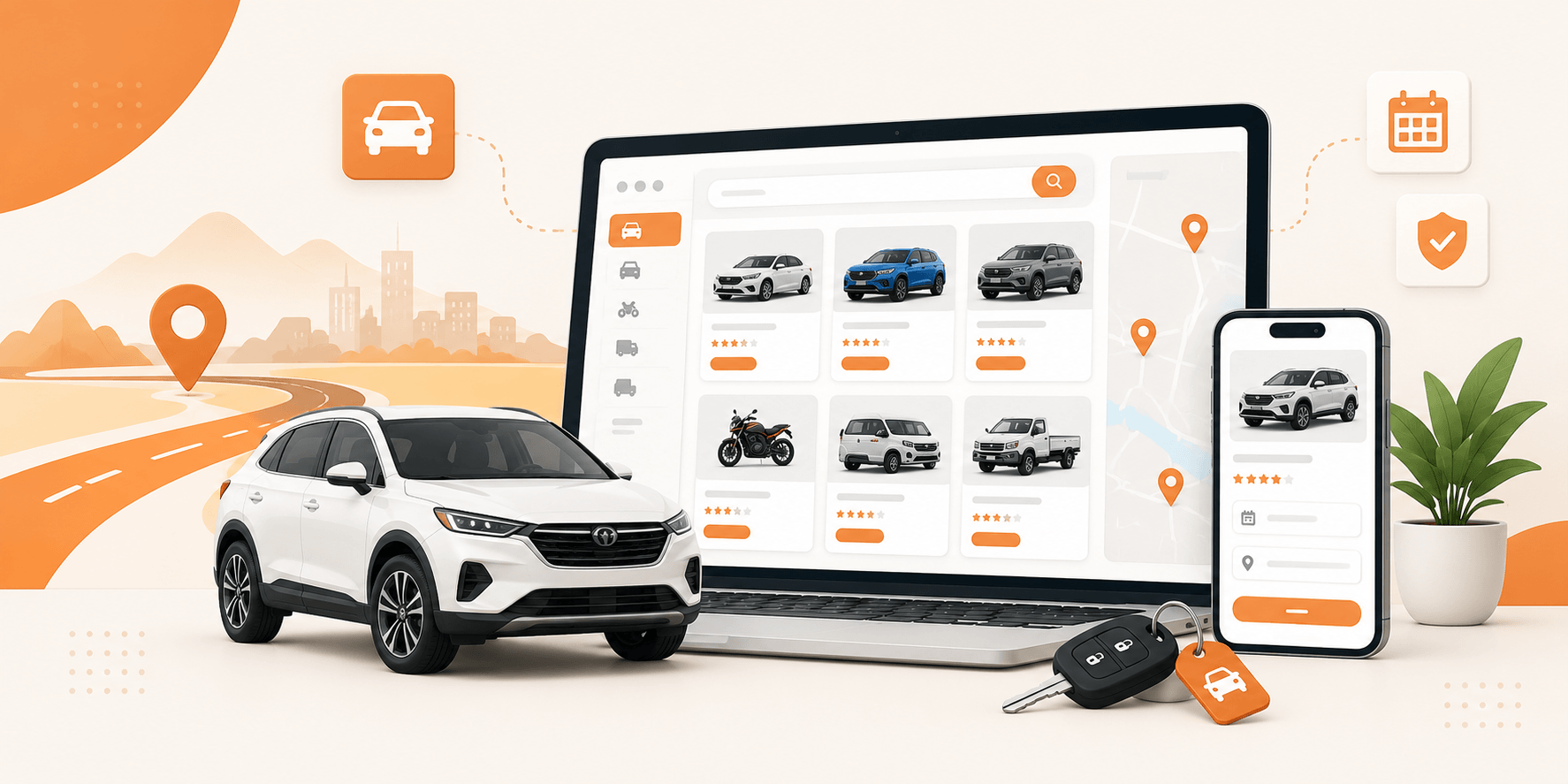
And if more than one operator rents through the same site, a multi-vendor car rental setup becomes essential. Each operator manages its vehicles, availability, and pricing. The marketplace itself runs the car rental booking system underneath all of it.
Setting Up Vehicle Listings the Right Way
Separate listings per vehicle category keep things organized as a fleet grows.
- Category-specific structure: each listing type carries its own information, availability, and booking rules, so a sedan and a cargo van don’t get treated identically just because they’re both technically a vehicle.
- Built for this: Utillz’s Brikk theme is built around exactly that setup: a listing system supporting multiple listing types, custom fields, and filters, with different rules applied per category.
- Why it matters: it works as a genuine car rental website builder because it doesn’t force every vehicle type into the same box, which counts the moment a fleet grows past a handful of cars.
- How it scales: a WordPress rental theme built this way grows the same way the business does: add a category, set its rules, and the rest of the structure carries the weight.
Multi-Location Support and Custom Booking Fields
A vehicle rental business rarely runs out of one spot. Cars get picked up at an airport location and dropped off downtown, a scooter fleet spreads across multiple neighborhoods, or a boat rental operation covers more than one marina and a rental platform needs to account for that, not assume everything happens at a single address.
Multi-location support handles this directly, alongside custom booking fields that adjust based on what’s being rented. A car listing can ask for mileage limits and driver age; a boat listing can ask for licensing requirements instead. The same submission form doesn’t have to force every vehicle type through identical questions.
Location-based search backs this up on the customer side too, letting renters filter by address and proximity instead of scrolling through a flat list hoping to spot something nearby.
Payments, Deposits, and Commission: Not Just a Buy Button
This is where the intro’s commission math actually pays off.
Security deposits build directly into the booking flow, held against damage or late returns instead of tracked manually after the fact. Payments run through 100+ supported gateways, so however a renter wants to pay, there’s a real path to actually charging them.
The commission rate is the part that mattered most in the intro, and it’s set by the marketplace owner directly, not 10%, not 35%, not whatever a third-party platform decides this year. Whatever rate actually fits the market gets set once and stays that way until someone deliberately changes it.
That’s what it looks like to rent a car online, WordPress-based, instead of through a platform setting the terms for you.
The Real Comparison: Commission vs. Ownership
Laid out plainly, the choice from the intro holds up under real numbers.
- Platform route: a platform taking 10% to 35% per trip keeps that cut indefinitely, on every single rental, for as long as the vehicle stays listed there. That cost never goes away.
- Ownership route: a one-time theme cost plus ordinary hosting, with whatever commission rate the marketplace owner actually decides.
- The gap: on a fleet doing meaningful volume, giving up a third of every rental forever versus paying once for the platform adds up fast, often within the first few months of real bookings.
- The bottom line: a WordPress rental website doesn’t eliminate competition or guarantee bookings. What it does is put the commission rate back in the hands of whoever’s actually managing the fleet.
Conclusion
A listing page was never built to run a rental business. It can show a car, but it can’t manage one. Real availability logic, per-category listings, built-in deposits, and a commission rate that stays put are what actually separate a working rental platform from a page with a phone number on it.
Utillz’s Brikk theme brings all of that together in one setup: vehicle listings, booking logic, payments, and commission control, without a six-figure development bill behind it.
Ready to build a rental platform instead of just listing cars? Start with the theme, set up the first vehicle category, and the rest of the structure follows